Showing posts with label fennec. Show all posts

Sunday, October 11, 2009

Debugging Fennec front-end

Fennec is a XUL application, like Firefox based on Mozilla Platform. Therefore, it can be debugged and modified with the Firefox debugging tools you are familiar with.

XUL applications consist of several XUL, JavaScript, and CSS files, which are archived in a Jar file. In the case of Fennec, it has two jar files in fennec/chrome/. en-US.jar which has localization information, chrome.jar which has Fennec front-end code.

To modify them,

1) Extract the chrome.jar in the current path
2) Modify the chrome.manifest as follows
override chrome://global/skin/about.css chrome://browser/skin/about.css
skin browser classic/1.0 content/..
content branding content/branding/
content firstrun content/ contentaccessible=yes
content browser content/
In order to display variable values or simple JavaScript debug message information in the system console, you can use the dump function. Before using this command, it needs to enable browser dump preferences by typing about:config in the URL bar.
browser.dom.window.dump.enabled=true
This is an example of using dump() in the startup() funciton in browser.js

 startup: function() {
    var self = this;

    dump("begin startup\n");

    let container = document.getElementById("tile-container");
   ...

The dump function works well on Linux system, but it doesn't work in Visual Studio in Windows system in order to debug Fennec for Windows Mobile.
It works well in Visual Studio, so I could see debug messages in the output box of Visual Studio using the latest build of Fennec.


References

Thursday, August 27, 2009

Fixing a hardware keyboard problem in Mobile Firefox for Windows Mobile

Finally, my patch was applied to the mainline of Mozilla and this cumbersome bug has been fixed. I am so happy to contribute to Mozilla. Here is the detail what the problem was fixed:

Windows Mobile keeps the status of hardware keyboard in the registry as follows:

"HKEY_CURRENT_USER\SOFTWARE\Microsoft\Shell\HasKeyboard"

A software keyboard can pop-up if a device doesn't have a hardware keyboard. However, in the case that the device has a slide-out keyboard, the value should be changed according to the status of the slide-out keyboard.

For example:

1) When the keyboard does not slide out, the HasKeyboard value has to be "0"
2) Whenthe keyboard slides out, the HasKeyboard value has to be "1"

However, the above registry value, HasKeyboard, always returns 1 because it doesn't consider the status of slide-out keyboard. :-(

Windows Mobile doesn't have a standard API for detecting a status of slide-out keyboard so each device maker has to provide its own hidden or public API. For Samsung Windows Mobile devices, Samsung provides Windows Mobile SDK from the Samsung Mobile Innovator site so we can easily get a state of the slide-out keyboard on Samsung devices. However, HTC doesn't provide any document on how to use device APIs.

As a result, some hackers had tried to find out how to use hidden APIs for accessing hardware features of HTC devices, but there is no API about slide-out keyboard.

Anyway, Fennec has a bug with detecting the state of slide-out keyboard, which seemed easy to solve. At least, it was easy for my i780, but my first patch couldn't support HTC touch pro that has a side-out keyboard.

I tried to check most of the registry values if there is any change. Finally, I found the value from  HKEY_LOCAL_MACHINE\System\GDI\Rotation\Slidekey. That made me fix the bug easily. :-)


Monday, April 13, 2009

How to make a cab installer of Windows Mobile Fennec build

When you finish building Fennec for Windows Mobile, you can ask "How can I install Fennec on my Windows Mobile handset?"

"Where is the installer?"

Fennec build system creates only a zip file in the path of "objdir/mobile/dist".

You might install Fennec using this zip file. But, it is cumbersome. Fortunately, the Fennnec team has released Fennec for Windows Mobile as a cab install.

"How can they make a cab installer?"

If you want to make a cab installer, move to /objdir/mobile/mobile/installer.
And then, run Makefile as follows,

$make installer

If so, you can find a cab installer in the path of "objdir/mobile/dist".

Friday, March 27, 2009

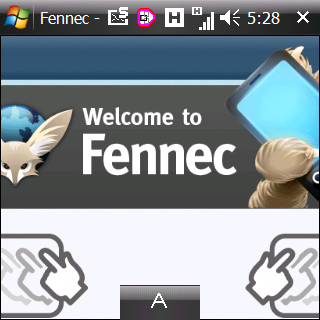
Fennec is running on SAMSUNG i780

Doug Turner solved the test blocker of Fennec for Windows Mobile.

I was delight to hear the new because I had tried several times to run Fennec on my SAMSUNG i780 (called Mirage in Korea). I had failed to run Fennec.

Fennec1.0 alpha for Windows Mobile

Fennec1.0 alpha for Windows Mobile


Tooday, I tried to build Fennec for Windows Mobile from the trunk of Mozilla.
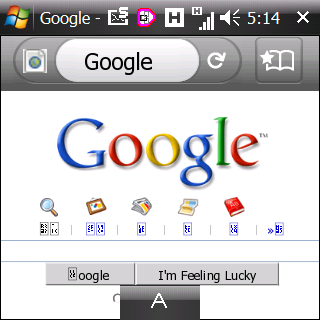
It is working well, but very slow on i780.

I found several problems as follows,
- Multiple instances
- Long start-up time
- IME button not disappeared
- Broken Hangul(Korean)

I will file up these problems on the Bugzilla and try to fix them.

Sunday, January 11, 2009

Hildon related bugzilla issues

Fennec1.0 alpha3 preview
426291 -- Add support for Hildon (Maemo) application menu
426292 -- Add support for Hildon (Maemo) filepicker
426293 -- Add support for Hildon (Maemo) banner for alerts
426299 -- Create a theme for Hildon (Maemo) platform [tracking bug]

Fennec has some bugs in Hildon integration as you can see the above list, but the Fennec team has not cared about theses bugs, because they seems to focus on implementing the UI features and Windows Mobile port for XULRunner. Therefore, the platform specific features still have not been implemented for the Maemo platform.

Anyway, Hildon menu integration seems easy to implement.

Can I try??

Friday, December 26, 2008

Firefox for Mobile Devices

I'd like to share a little bit old presentation about Mobile Firefox.

From: mobileportland, 2 months ago

Firefox For Mobile Devices
Dietrich Ayala's presentation at May 2008 meeting of Mobile Portland

SlideShare Link

Sunday, May 18, 2008

Latest looks of Fennec (Mobile Firefox)

The plan of Mobile Firefox was announced in October last year and the Mozilla community is now very busy to develop Mobile Firefox.

Fennec is the code name of Mobile Firefox, which is a desert fox. You may have seen a fennec in TV animation. The size of fennec is smaller than normal fox and it has big ears. So I think the name of Fennec seems to be suited well for Mobile Firefox.

The Mozilla Community opened the source code of Fennec and a guide of how to build it. It is a little bit intricate to build it because it is not merged into the Mozilla trunk.

After build and run, you can see the following appearance.

Fennec (Mobile Firefox) on N810


Flock: Editing Bookmark

The basic features of browser were already implemented such as the navigation bar and bookmark menu. But, panning is a little bit slow and zooming is not working in the latest code.

Fennec can be built in Maemo Scratchbox and run on XULRunner so I'll post a way of how to build and run in N810 later. It would be helpful if you give any feedbacks to the Mozilla community after testing Fennec.

References

Thursday, April 24, 2008

My N810 was delivered from the US.

I bought a Nokia N810 from Amazon. Actually, there are not any shopping malls selling N810 in Korea so I had to buy an N810 from the oversea shopping mall. Anyway, I am very satisfied with N810. It may be my favorite toy.

N810 uses the Maemo platform that is based on Linux 2.6, GTK+, Matchbox and other open source projects. Scratchbox is used for its development environment that supports a cross-platform development environment. So the users can implement an application without knowing how to use a toolchain for specific target devices. In addition, we can easily install applications from the repositories using Debian packaging & repository system.

I think that it's a truly open mobile platform based on Linux. Because Nokia gave their governance of hildon to the GNOME community.

First, I'd like to build XUL Runner and run Fennec (Mozilla Mobile). It seems that it could run on N810 and Windows Mobile 6. So I'll check the status and give my feedback to the community.

:-)

References