During the WebKitGkt+ hackfest 2011, I applied Accelerated Compositing to WebKitGtk+ using Clutter so it started working like the webkit-clutter port. Finally, I was able to run the same demo in GtkLauncher as follows:
This is not upstreamed yet, but Imy patches are getting reviewed. Gustavo and Martin are helping me write more good patches. Thanks!
I think that this hackfest was done well. You can check more news about the WebKitGtk+ hackfest from other blog posts:
http://blogs.igalia.com/juanjo/2011/12/04/webkitgtk-hackfest-wrap-up/
http://blogs.igalia.com/juanjo/2011/11/17/announcing-the-webkitgtk-hackfest-2011/
http://www.hadess.net/search/label/hackfest
I would like to thank my employer Collabora, Igalia and the GNOME Foundation for helping us attend the hackfest. See you at the next hackfest!
Showing posts with label Webkit. Show all posts
Monday, December 05, 2011
Wednesday, November 30, 2011
WebKitGtk+ Hackfest 2011
| (C) Mario |
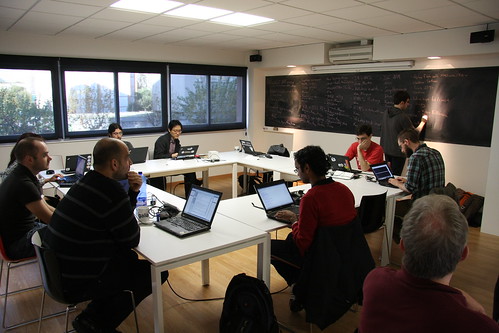
Gustavo and I are attending the WebKitGtk+ hackfest 2011 which is held at the Igalia office in A Coruña, Spain like the last time. This is an annual event for WebKitGtk+ maintainers to work together at the same place.
We made a list of work items on the blackboard as usual on the first day. You can find these topics in the wiki. My major work item is to apply Accelerated Compositing implementation of the clutter port to WebKitGtk+. If I finish it a bit earlier, I will try to hack my unresolved patches such as IME support in WebKit2Gtk+ and applying Tiled Backing Store to WebKitGtk+.
Happy Hacking!
Saturday, May 21, 2011
WebKit Mobile Features
Recently, I spent some time implementing the viewport meta tags and tiled backing store for WebKitGtk+, which are the mobile features of the WebKit engine. In this post, I’m going to tell you more about the mobile features of the WebKit engine and how to enable each feature when you build WebKitGtk+.
First of all, the WebKit engine is particularly strong in the mobile area, because it is lighter and faster than other browser engines and has been verified by the success of Safari on the iPhone. Due to this reason, most mobile devices have adopted the WebKit engine to offer their own web browser: Nokia Symbian, Google Android, HP WebOS, and Samsung Bada are all using WebKit based browsers.
Additionally, WebKit is an open source project. Naturally, all source code is open to the public, but there is no obligation for manufacturers to open their browser code, because the WebKit engine uses the LGPL, so it allows a browser executable file to just link with the WebKit engine dynamically. It means that the browser can be a different file independent from the WebKit library. Because of this reason, the mobile features of Safari on the iPhone need not be open to the public and subsequently it has been hard to access the mobile features. Fortunately, other phone manufacturers have participated in the WebKit project and are developing mobile features within the community. Currently, Nokia, RIM, Samsung, Motorola and Erricson have participated in the WebKit project. In addition, the open source companies Collabora and Igalia have worked on WebKit for a long time.
Recently, some mobile features already have been applied to the WebKit engine such as the tiled backing store, touch events, and viewport meta tags. Since these features are a little complicated to understand in terms of the name, I will explain them including the other mobile features supported by WebKit in more details.
Fast Mobile Scrolling
You can see a fixed background image(Smile Icon) when you even scroll the web page as you can see in the above picture. This can be possible if a web page has elements which have the CSS background-attachment property. In this case, WebKit carries out a slow repaint in order to avoid rendering artifacts. However, scrolling a web page with a fixed background image causes noticeable delays on mobile devices. It means that WebKit tries not to update fixed elements every time to scroll fast because it is hard to display a fixed element while scrolling fast.
In order to avoid this problem, we can make scrolling faster if we ignore the CSS property "background-attachment: fixed" by enabling the fast mobile scrolling option as you can see in the left picture (i.e. the fixed background can be scrollable on WebKitGtk+ with the fast mobile scrolling build option).
To enable the fast mobile scrolling:
1) Build WebKitGtk+ with the fast mobile scrolling option:
Tiled Backing Store
When I tried to use Safari on the iPhone, I was impressed by the fact that the scrolling web pages were very fast. This is possible because Safari caches the content of the web page as bitmaps in memory, and the cached bitmaps we've seen are just painted on the screen without sending paint calls to WebCore when we scroll a web page. These bitmaps are created and deleted on-demand as the viewport moves over the web page. We call them the “tiled backing store.”
The tiled backing store was applied to QtWebKit by Nokia engineers. They applied this feature to WebCore, so it can be shared by other ports. In the case of WebKitGtk, Code Aurora engineers submitted an initial patch, I have updated the patch to use only Cairo API by removing GTK+ dependency. This would allow the WinCairo and Efl port to use the updated patch for enabling the tiled backing store.
To enable the tiled backing store:
1 ) Build WebKitGtk+ with the tiled backing store option as follows:
2) Set the tiled backing store setting to TRUE through WebKitWebSettings as follows:
Viewport Meta Tags
Apple introduced the full browsing feature for the first time when they released the iPhone. Until then, the mobile phone was not usable to browse web pages made for desktop due to the small screen size. To overcome this limitation, Safari on the iPhone zooms web pages out automatically to fit to the screen like in the above picture(left).
For this, Safari on the iPhone assumes that web pages have 980px width by default. When Safari loads a web page, it scales down the web page by a factor of 0.32 (320/980) to fit to the width of the screen in the case of iPhone 3G. But, the problem is that all pages are not displayed to fit to 980px width. For example, mobile web pages can be displayed well with 320px or 480px. the Google Search page is displayed on the iPhone like the right picture because the Google search page is required to have the less width compared to 980px.
To solve this problem, Apple defined the viewport meta tags to allow web browsers to support desktop web page and mobile web page effectively. Actually, this is not a web standard, but most mobile web browsers have adopted this feature and WebKit also supports it.
Let’s take a look at the viewport meta tag in more detail. The viewport meta tags can be used to set the width, height and initial scale factor of the viewport. Although most web pages don’t have viewport meta tags, mobile browsers which have 320 px screen width can apply initial values to web pages as follows:
In the case of mobile pages, you need to set the viewport meta tags as follows:
As you can see each property, web pages can not be scaled up/down; even user scaling is turned off. This is because the mobile web pages are actually written for the small screen.
For more information on the viewport meta tags, refer to the Safari reference library.
Frameset Flattening
There are some web pages that have their own scrollable area with the scroll bars like the above page. We call this "sub frame." On touch devices, the problem is that it is desirable not to have any scrollable sub frame of the web page because the user could confuse with sometimes scrolling sub frames and scrolling the web page itself at other times because it is very hard for the user to understand what “sub frame” is. For this reason, iframes and framesets are hardly usable on touch devices.
However, if you enable the frameset flattening features when building Webkit, all the frames can be one scrollable page as you can see the above figure.
To enable the Fameset flattening:
Touch events
Supporting multi-touch has become popular since iPhone introduced it. Now, all smart phones support multi-touch. Using multi-touch allows the users to use more than two fingers to interact with applications on their smart phone. For example, you can use a piano or guitar applications using your 5 fingers.
However, using multi-touch is not only possible for native applications, but also for web pages. Since WebKit supports touch events as DOM events, web developers can deal with touch events using JavaScript. There are 4 kinds of touch events: touchstart, touchmove, touchend, and touchcancel. Unfortunately, WebKitGtk+ doesn't support the touch events yet. So if you want to test the touch events , running QtWebKit or mobile Safari would be good. For more information on how to use the touch events, refer to the Safari reference library.
Finally, I’d like to let you know there are more mobile features I didn’t introduce here, such as intelligent zoom, kinetic scrolling, zooming animation, and etc. WebKit doesn’t support them by itself, but the hosting applications can implement these kind of features, because these features are likely to depend on the platform. However, when these features are added to WebKitGtk+, I will talk about them in more detail.
References
First of all, the WebKit engine is particularly strong in the mobile area, because it is lighter and faster than other browser engines and has been verified by the success of Safari on the iPhone. Due to this reason, most mobile devices have adopted the WebKit engine to offer their own web browser: Nokia Symbian, Google Android, HP WebOS, and Samsung Bada are all using WebKit based browsers.
Additionally, WebKit is an open source project. Naturally, all source code is open to the public, but there is no obligation for manufacturers to open their browser code, because the WebKit engine uses the LGPL, so it allows a browser executable file to just link with the WebKit engine dynamically. It means that the browser can be a different file independent from the WebKit library. Because of this reason, the mobile features of Safari on the iPhone need not be open to the public and subsequently it has been hard to access the mobile features. Fortunately, other phone manufacturers have participated in the WebKit project and are developing mobile features within the community. Currently, Nokia, RIM, Samsung, Motorola and Erricson have participated in the WebKit project. In addition, the open source companies Collabora and Igalia have worked on WebKit for a long time.
Recently, some mobile features already have been applied to the WebKit engine such as the tiled backing store, touch events, and viewport meta tags. Since these features are a little complicated to understand in terms of the name, I will explain them including the other mobile features supported by WebKit in more details.
- Fast Mobile Scrolling
- Tiled Backing Store
- Viewport Meta Tags
- Frameset Flattening
- Touch Events
Fast Mobile Scrolling
You can see a fixed background image(Smile Icon) when you even scroll the web page as you can see in the above picture. This can be possible if a web page has elements which have the CSS background-attachment property. In this case, WebKit carries out a slow repaint in order to avoid rendering artifacts. However, scrolling a web page with a fixed background image causes noticeable delays on mobile devices. It means that WebKit tries not to update fixed elements every time to scroll fast because it is hard to display a fixed element while scrolling fast.
In order to avoid this problem, we can make scrolling faster if we ignore the CSS property "background-attachment: fixed" by enabling the fast mobile scrolling option as you can see in the left picture (i.e. the fixed background can be scrollable on WebKitGtk+ with the fast mobile scrolling build option).
To enable the fast mobile scrolling:
1) Build WebKitGtk+ with the fast mobile scrolling option:
$WebKit/Tools/Scripts/build-webkit --gtk --fast-mobile-scrolling
Tiled Backing Store
When I tried to use Safari on the iPhone, I was impressed by the fact that the scrolling web pages were very fast. This is possible because Safari caches the content of the web page as bitmaps in memory, and the cached bitmaps we've seen are just painted on the screen without sending paint calls to WebCore when we scroll a web page. These bitmaps are created and deleted on-demand as the viewport moves over the web page. We call them the “tiled backing store.”
The tiled backing store was applied to QtWebKit by Nokia engineers. They applied this feature to WebCore, so it can be shared by other ports. In the case of WebKitGtk, Code Aurora engineers submitted an initial patch, I have updated the patch to use only Cairo API by removing GTK+ dependency. This would allow the WinCairo and Efl port to use the updated patch for enabling the tiled backing store.
To enable the tiled backing store:
1 ) Build WebKitGtk+ with the tiled backing store option as follows:
$ WebKit/Tools/Scripts/build-webkit --gtk --tiled-backing-store
2) Set the tiled backing store setting to TRUE through WebKitWebSettings as follows:
WebKitWebSettings *settings = webkit_web_view_get_settings(webView); g_object_set(G_OBJECT(settings), "enable-tiled-backing-store", TRUE, NULL);
Viewport Meta Tags
Apple introduced the full browsing feature for the first time when they released the iPhone. Until then, the mobile phone was not usable to browse web pages made for desktop due to the small screen size. To overcome this limitation, Safari on the iPhone zooms web pages out automatically to fit to the screen like in the above picture(left).
For this, Safari on the iPhone assumes that web pages have 980px width by default. When Safari loads a web page, it scales down the web page by a factor of 0.32 (320/980) to fit to the width of the screen in the case of iPhone 3G. But, the problem is that all pages are not displayed to fit to 980px width. For example, mobile web pages can be displayed well with 320px or 480px. the Google Search page is displayed on the iPhone like the right picture because the Google search page is required to have the less width compared to 980px.
To solve this problem, Apple defined the viewport meta tags to allow web browsers to support desktop web page and mobile web page effectively. Actually, this is not a web standard, but most mobile web browsers have adopted this feature and WebKit also supports it.
Let’s take a look at the viewport meta tag in more detail. The viewport meta tags can be used to set the width, height and initial scale factor of the viewport. Although most web pages don’t have viewport meta tags, mobile browsers which have 320 px screen width can apply initial values to web pages as follows:
<meta name = "viewport" content = "width = 980" initial-scale = "0.32">
In the case of mobile pages, you need to set the viewport meta tags as follows:
<meta name="viewport" content="user-scalable=no, initial-scale=1.0, maximum-scale=1.0, minimum-scale=1.0, width=device-width" />
As you can see each property, web pages can not be scaled up/down; even user scaling is turned off. This is because the mobile web pages are actually written for the small screen.
For more information on the viewport meta tags, refer to the Safari reference library.
Frameset Flattening
There are some web pages that have their own scrollable area with the scroll bars like the above page. We call this "sub frame." On touch devices, the problem is that it is desirable not to have any scrollable sub frame of the web page because the user could confuse with sometimes scrolling sub frames and scrolling the web page itself at other times because it is very hard for the user to understand what “sub frame” is. For this reason, iframes and framesets are hardly usable on touch devices.
However, if you enable the frameset flattening features when building Webkit, all the frames can be one scrollable page as you can see the above figure.
To enable the Fameset flattening:
WebKitWebSettings *settings = webkit_web_view_get_settings(webView); g_object_set(G_OBJECT(settings), "enable-frame-flattening", TRUE, NULL);
Touch events
Supporting multi-touch has become popular since iPhone introduced it. Now, all smart phones support multi-touch. Using multi-touch allows the users to use more than two fingers to interact with applications on their smart phone. For example, you can use a piano or guitar applications using your 5 fingers.
However, using multi-touch is not only possible for native applications, but also for web pages. Since WebKit supports touch events as DOM events, web developers can deal with touch events using JavaScript. There are 4 kinds of touch events: touchstart, touchmove, touchend, and touchcancel. Unfortunately, WebKitGtk+ doesn't support the touch events yet. So if you want to test the touch events , running QtWebKit or mobile Safari would be good. For more information on how to use the touch events, refer to the Safari reference library.
Finally, I’d like to let you know there are more mobile features I didn’t introduce here, such as intelligent zoom, kinetic scrolling, zooming animation, and etc. WebKit doesn’t support them by itself, but the hosting applications can implement these kind of features, because these features are likely to depend on the platform. However, when these features are added to WebKitGtk+, I will talk about them in more detail.
References

Saturday, April 30, 2011
WebKit Contributors Meeting 2011
I attended the WebKit Contributors meeting which was held by Apple, April 24~25 2011 near Apple Campus in Cupertino, California. This is the annual meeting for WebKit reviewers and committers. They come together to discuss the current issues of WebKit and hack the code in the meeting. In this post, I am going to introduce you to what we talk about in the WebKit meeting.
As you know, WebKit is the hottest open source project these days, because most mobile phones use the WebKit engine and additionally Chrome and Safari also are based on WebKit. In addition, the WebKit engine is used for mobile platforms such as HP WebOS and RIM Playbook. Therefore, Apple and Google as well as other big electronics companies like Nokia, RIM, Samung, Motorola have joined the WebKit project. As you might already know, Collabora, the company I work for, has contributed to WebKitGtk+ with Igalia.
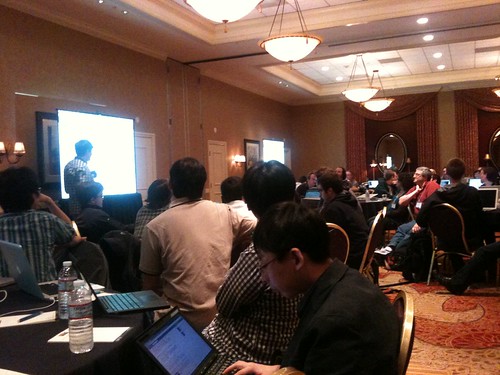
On the first day, we made the tracks and sessions instantly in the morning. Actually, there were many talks and hackathons proposed, but we chose our favorite items by voting. Although I was not able to attend all sessions, I will introduce some of them briefly.
First, I'd like to talk about WebKit2. Actually, Apple announced the WebKit2 project to support a multiple process model in WebKit like Chrome browser in the previous year. Other ports like Qt and Gtk+ are also trying to support the WebKit2 model. In the WebKit2 session, we discussed many issues, but I listed up some of the most important ones which readers might be interested in as follows:
- Using C API, is this a great choice?
- Support for Out-of-process plugin
- Code sharing between WebKit1 and WebKit2
- DRT rewritten
- Support for threaded model
- Low-level communication code is very specific to the platform. It needs an abstract model for communication between the web process and ui process.
- It is difficult to follow accessibility implementation on a Mac.
The next interesting session was about hardware acceleration. We discussed the current issues of hardware acceleration in each port. In particular, Google’s effort on 2D acceleration is quite interesting to me. Actually, 2D acceleration is a very challenging task because I have seen many trials of improving 2D graphics rendering through OpenGL or OpenVG. However, the performance was not faster than CPU. Interestingly, Google seemed to try to accelerate 2D graphics by 3D graphics in the WebKit itself. But, all 2D drawings are not dependent on GPU, only the specific 2D drawing primitives are rendered by GPU. So they are currently profiling 2D drawing primitives rendered by GPU to see which 2D graphics primitives are really accelerated by GPU. If this hybrid model is successful, we will be able to apply it to other ports.
In other sessions, we talked about reducing the build systems in WebKit. Currently, we have 8 build systems for each WebKit port. So, when we add new source files, sometimes we forget to add the files to all of the build systems, which causes build breaks. Accordingly, CMake and GYP were proposed for unifying the build systems. However, each port just follows its development environment, so it seems like it would be hard to unify each current build system into one. I think that WebKitGtk+ can move to CMake, but I’m not sure if the GNOME guys like it. In addition, one of our core contributors, Eric introduced how his team designed and implemented HTML5 parser. Actually, the existing parser was so complex as written in one source file which was the longest file in WebKit, so he told us that it took several months to understand the parser code. So he divided the parsing functionality into several classes such as HTMLToken, HTMLTokenizer, HTMLTreeBuilder, HTMLDocumentParser, and others.
Additionally, there was a party on the first day held by the Google Chrome Team. I met the reviewers who have reviewed my patches. I was pleased to meet them directly; it was like meeting old friends. It made me feel more connected to the community.
These days, the companies in which the WebKit contributors are involved are competing with each other, but as I saw at the meeting, the contributors are working together to develop a better web engine. For instance, I learned that Google is trying to overtake Apple with Android and Chrome, but they still work closely to develop the features of the HTML5/CSS3 standard. In addition, Nokia and RIM’s reviewers, like Kenneth and tonikitoo always review Samsung’s patches. I think this is an example of the power of open source.
Anyway, I hope to talk more details about the next meeting. Thanks!
As you know, WebKit is the hottest open source project these days, because most mobile phones use the WebKit engine and additionally Chrome and Safari also are based on WebKit. In addition, the WebKit engine is used for mobile platforms such as HP WebOS and RIM Playbook. Therefore, Apple and Google as well as other big electronics companies like Nokia, RIM, Samung, Motorola have joined the WebKit project. As you might already know, Collabora, the company I work for, has contributed to WebKitGtk+ with Igalia.
On the first day, we made the tracks and sessions instantly in the morning. Actually, there were many talks and hackathons proposed, but we chose our favorite items by voting. Although I was not able to attend all sessions, I will introduce some of them briefly.
First, I'd like to talk about WebKit2. Actually, Apple announced the WebKit2 project to support a multiple process model in WebKit like Chrome browser in the previous year. Other ports like Qt and Gtk+ are also trying to support the WebKit2 model. In the WebKit2 session, we discussed many issues, but I listed up some of the most important ones which readers might be interested in as follows:
- Using C API, is this a great choice?
- Support for Out-of-process plugin
- Code sharing between WebKit1 and WebKit2
- DRT rewritten
- Support for threaded model
- Low-level communication code is very specific to the platform. It needs an abstract model for communication between the web process and ui process.
- It is difficult to follow accessibility implementation on a Mac.
The next interesting session was about hardware acceleration. We discussed the current issues of hardware acceleration in each port. In particular, Google’s effort on 2D acceleration is quite interesting to me. Actually, 2D acceleration is a very challenging task because I have seen many trials of improving 2D graphics rendering through OpenGL or OpenVG. However, the performance was not faster than CPU. Interestingly, Google seemed to try to accelerate 2D graphics by 3D graphics in the WebKit itself. But, all 2D drawings are not dependent on GPU, only the specific 2D drawing primitives are rendered by GPU. So they are currently profiling 2D drawing primitives rendered by GPU to see which 2D graphics primitives are really accelerated by GPU. If this hybrid model is successful, we will be able to apply it to other ports.
In other sessions, we talked about reducing the build systems in WebKit. Currently, we have 8 build systems for each WebKit port. So, when we add new source files, sometimes we forget to add the files to all of the build systems, which causes build breaks. Accordingly, CMake and GYP were proposed for unifying the build systems. However, each port just follows its development environment, so it seems like it would be hard to unify each current build system into one. I think that WebKitGtk+ can move to CMake, but I’m not sure if the GNOME guys like it. In addition, one of our core contributors, Eric introduced how his team designed and implemented HTML5 parser. Actually, the existing parser was so complex as written in one source file which was the longest file in WebKit, so he told us that it took several months to understand the parser code. So he divided the parsing functionality into several classes such as HTMLToken, HTMLTokenizer, HTMLTreeBuilder, HTMLDocumentParser, and others.
Additionally, there was a party on the first day held by the Google Chrome Team. I met the reviewers who have reviewed my patches. I was pleased to meet them directly; it was like meeting old friends. It made me feel more connected to the community.
These days, the companies in which the WebKit contributors are involved are competing with each other, but as I saw at the meeting, the contributors are working together to develop a better web engine. For instance, I learned that Google is trying to overtake Apple with Android and Chrome, but they still work closely to develop the features of the HTML5/CSS3 standard. In addition, Nokia and RIM’s reviewers, like Kenneth and tonikitoo always review Samsung’s patches. I think this is an example of the power of open source.
Anyway, I hope to talk more details about the next meeting. Thanks!
Thursday, December 30, 2010
WebKitGtk+ Hackfest 2010
I attended the WebKitGtk+ Hackfest held in the Igalia Office, located in Coruña, Spain, in this month. It was a great opportunity for me to meet the WebKitGtk+maintainers directly. This hackfest was sponsored by Collabora and Igalia. The Igalia office was very nice; it can be compared to the Google office in terms of the atmosphere. There were free snacks, beverage and game consoles in the office. Moreover, we had buffet lunch everyday. I'd like to give thanks to Collabora and Igalia for sponsoring the hackfest and the GNOME foundation for sponsoring my trip to Coruña.
During the hackfest, we concentrated on hacking WebKitGtk+ to fix bugs and implement new features, only stopping to sleep and eat . Of course , we also made time for a city tour in Courña for a quater of a day.
Gtk+ and libSoup maintainers also attended the hackfest to support WebKitGtk+ maintainers, because WebKitGtk+ depends on those libraries. Moreover, embracing Gtk+3 needs Gtk+ maintainers' help to keep the pace with Gtk+3 changes. Also, an Epiphany browser maintainer also joined the hackfest to fix Epiphany bugs together with the WebKitGtk+ maintainers.
On the first day, we listed up all work items on the chalkboard (as you can see in the above picture). When we finished each item, we rewarded ourselves with Super Mario BGM. :-) You can see the performance video as follows:
Martin finished a task! YEAH! from diegoe on Vimeo.
During the hackfest, I worked on viewport meta tags support and some missing features in the DRT test in WebKitGtk+. In addition, I improved the webkit cache model feature. In particular, I was pleased to finish the viewport meta tags patch. Actually, it might have been impossible without the maintainers' help: Kov, Martin, and Xan reviewed my patch carefully and improved it, so I'd like to thank them again. I'll explain the details of the viewport meta tags support later.
After the hackfest, I felt like I was a member of the WebKitGtk+ development team. In the future, I will try to contribute more patches to WebKitGtk+.
You can also find this blogging in Korean version. :-)
Happy New Year and Thanks again for reading!
Gtk+ and libSoup maintainers also attended the hackfest to support WebKitGtk+ maintainers, because WebKitGtk+ depends on those libraries. Moreover, embracing Gtk+3 needs Gtk+ maintainers' help to keep the pace with Gtk+3 changes. Also, an Epiphany browser maintainer also joined the hackfest to fix Epiphany bugs together with the WebKitGtk+ maintainers.
| (CC) 2010 Mario |
Martin finished a task! YEAH! from diegoe on Vimeo.
During the hackfest, I worked on viewport meta tags support and some missing features in the DRT test in WebKitGtk+. In addition, I improved the webkit cache model feature. In particular, I was pleased to finish the viewport meta tags patch. Actually, it might have been impossible without the maintainers' help: Kov, Martin, and Xan reviewed my patch carefully and improved it, so I'd like to thank them again. I'll explain the details of the viewport meta tags support later.
After the hackfest, I felt like I was a member of the WebKitGtk+ development team. In the future, I will try to contribute more patches to WebKitGtk+.
You can also find this blogging in Korean version. :-)
Happy New Year and Thanks again for reading!
Wednesday, August 04, 2010
Feedbacks from the communities on the key events handling in WebKit
I posted an email to the WebKit mailing list on the issue I mentioned in the previous blog.The email introduced a status of the inconsistent event handling during a IME composition on WebKit. Fortunately, I've got quick feedbacks from the communities on each issue as follows,
Issue1) IME Composition events should be handled consistently in all ports of WebKit.
=> "This can't be achieved as it depends on the platform IME system. Therefore, different IMEs making consistent behaviors across multiple platforms is an exercise in futility. However, If we are seeing different behaviour with the same IME on a single platform, that's a bug."
Issue2) The textInput event should be dispatched after a compositionend event.
=> "There's a discussion on www-dom at w3.org about changing the spec because there seems a issue of handling a textInput event. Currently, before the textInput event is dispatched, DOM has been already mutated during a composition. Therefore, If there is to be a textInput event, first, the composition text is removed. And then, if the textEvent is not cancelled, the browser inserts the composition text again. It seems not efficient."
Issue3) While a composition session is active, keyboard events should not be dispatched to the DOM.
=> In relation to keyboard events, WebKit has fired key events during a composition for a long time. Therefore, It can't stop to fire key events in order to avoid site break.
As a result, they agreed that the DOM Level 3 event model for input composition does not match the requirements of actual web content as I have worried. Therefore, in order to avoid the confusion among web developers, the DOM Level3 events spec needs to introduce the reason why each browser handles keyboard events in different ways.
Issue1) IME Composition events should be handled consistently in all ports of WebKit.
=> "This can't be achieved as it depends on the platform IME system. Therefore, different IMEs making consistent behaviors across multiple platforms is an exercise in futility. However, If we are seeing different behaviour with the same IME on a single platform, that's a bug."
Issue2) The textInput event should be dispatched after a compositionend event.
=> "There's a discussion on www-dom at w3.org about changing the spec because there seems a issue of handling a textInput event. Currently, before the textInput event is dispatched, DOM has been already mutated during a composition. Therefore, If there is to be a textInput event, first, the composition text is removed. And then, if the textEvent is not cancelled, the browser inserts the composition text again. It seems not efficient."
Issue3) While a composition session is active, keyboard events should not be dispatched to the DOM.
=> In relation to keyboard events, WebKit has fired key events during a composition for a long time. Therefore, It can't stop to fire key events in order to avoid site break.
As a result, they agreed that the DOM Level 3 event model for input composition does not match the requirements of actual web content as I have worried. Therefore, in order to avoid the confusion among web developers, the DOM Level3 events spec needs to introduce the reason why each browser handles keyboard events in different ways.
Monday, July 26, 2010
IME composition events are handled inconsistently in WebKit
I have been working on Korean Hangul composition issue in WebKitGtk. By the way, I've noticed that IME Composition events are handled inconsistently in each WebKit port.
According to W3C DOM Level 3 events,
1) A browser should fire compositionstart, compositionupdate, and compositionend event during a composition.
2) The textEvent event should be dispatched after a compositionend event if the composition has not been canceled.
3) While a composition session is active, keyboard events should not be dispatched to the DOM (i.e., the text composition system "swallows" the keyboard events), and only compositionupdate events may be dispatched to indicate the composition process.
However, all WebKit ports handle composition & textEvent events in inconsistent ways. Even keyboard events are still dispatched to the DOM during a composition.
Therefore, it is necessary to fix the problems as follows:
1) IME Composition events should be handled consistently in all WebKit ports.
2) Keyboard events should not be dispatched during a composition.
3) The textInput event should be dispatched after a compositionend event.
You can find a test case from here.
I filed a bug for this issue in WebKit Bugzilla.
According to W3C DOM Level 3 events,
1) A browser should fire compositionstart, compositionupdate, and compositionend event during a composition.
2) The textEvent event should be dispatched after a compositionend event if the composition has not been canceled.
3) While a composition session is active, keyboard events should not be dispatched to the DOM (i.e., the text composition system "swallows" the keyboard events), and only compositionupdate events may be dispatched to indicate the composition process.
However, all WebKit ports handle composition & textEvent events in inconsistent ways. Even keyboard events are still dispatched to the DOM during a composition.
Therefore, it is necessary to fix the problems as follows:
1) IME Composition events should be handled consistently in all WebKit ports.
2) Keyboard events should not be dispatched during a composition.
3) The textInput event should be dispatched after a compositionend event.
The following table shows the status of DOM events of WebKit during a Hangul(Korean Alphabet) composition.
![]() |
| Korean Hangul Composition Event Test in WebKit based browsers |
I filed a bug for this issue in WebKit Bugzilla.
Subscribe to:
Posts (Atom)